
The new AutoSoft Online, now in the cloud with AutoSoft Web
What you've always wanted: your whole shop on any device with internet. Windows, Mac, Linux, iPhone or Android. Nothing to install.
You're not charged anything until the 15 days are over, and you can cancel before then.
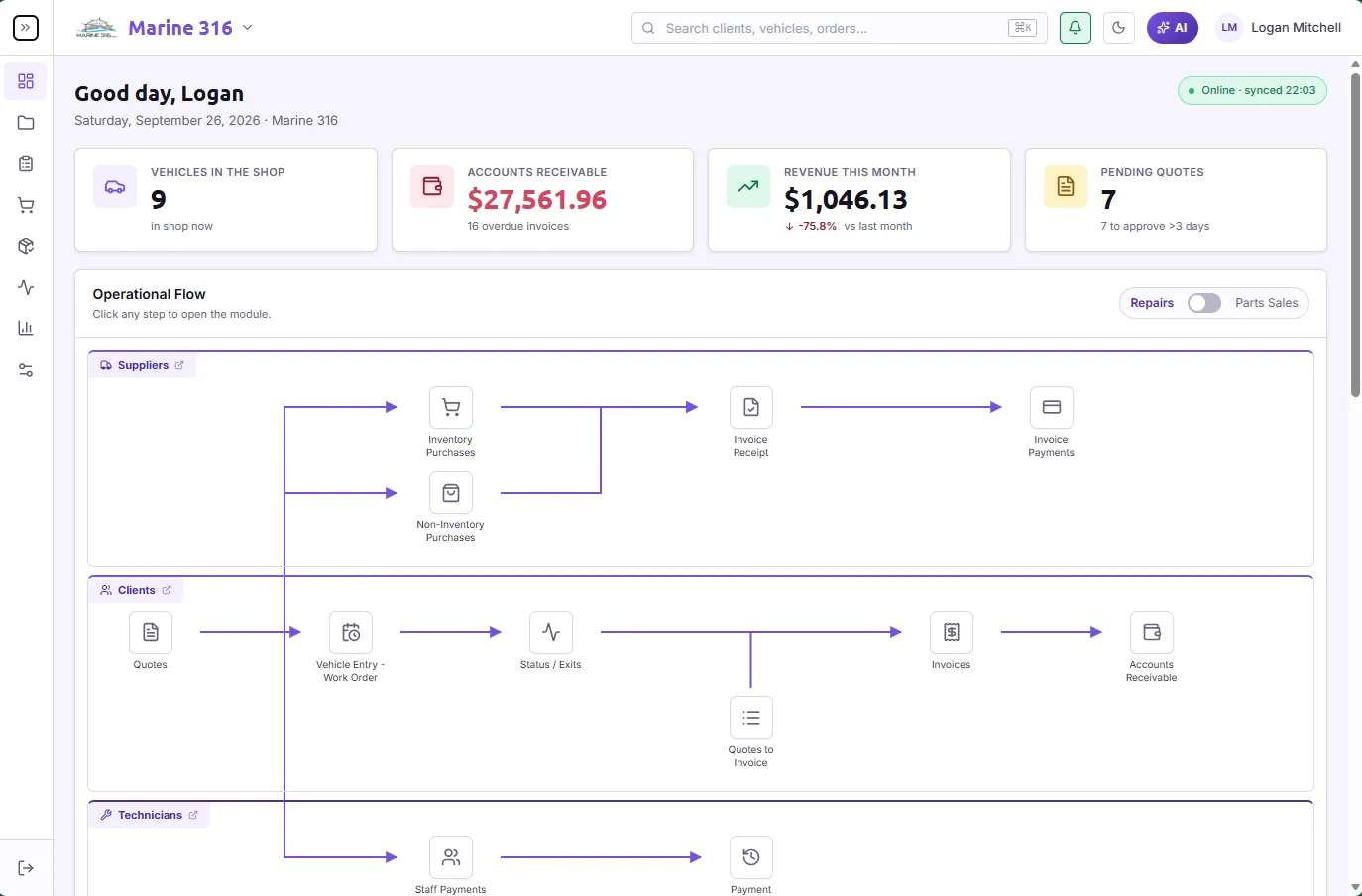
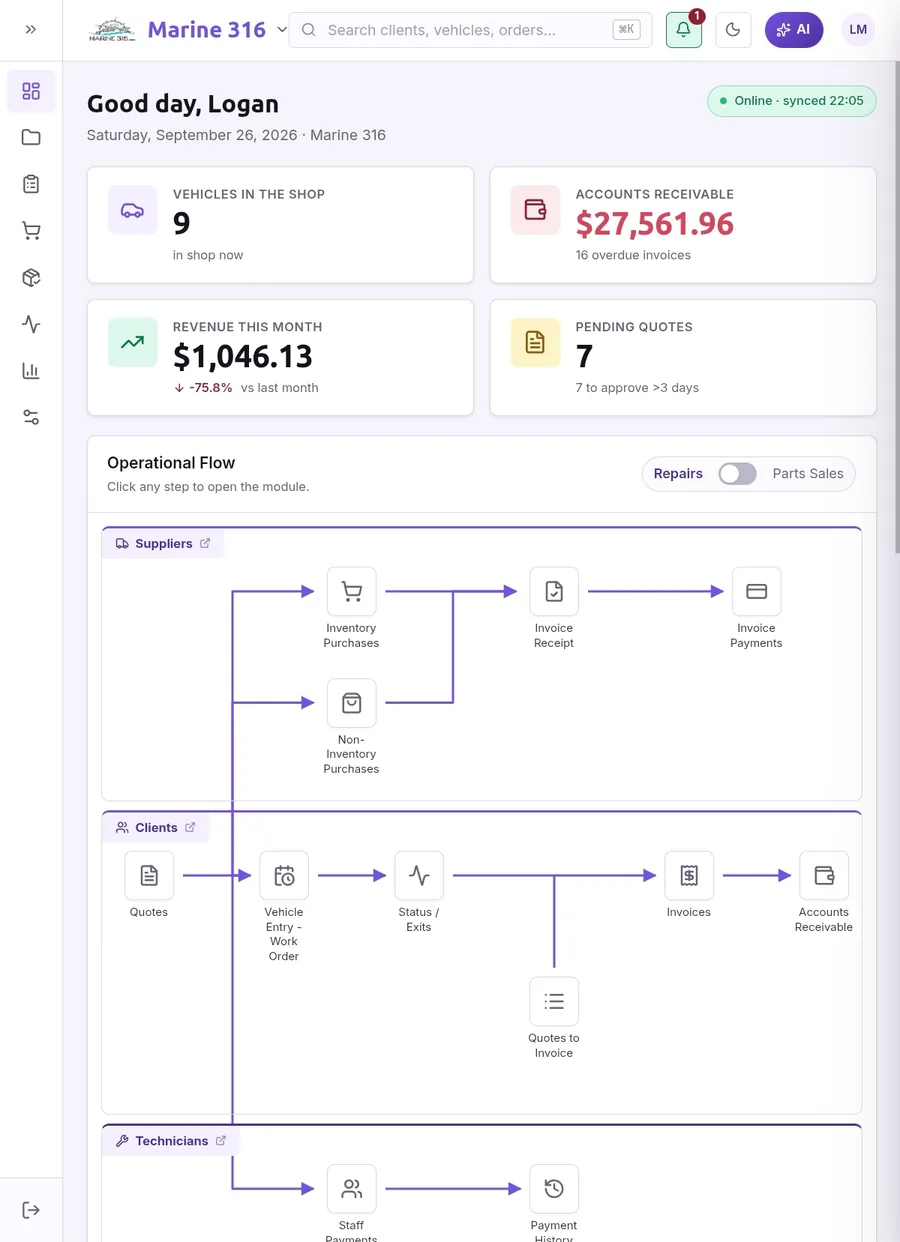
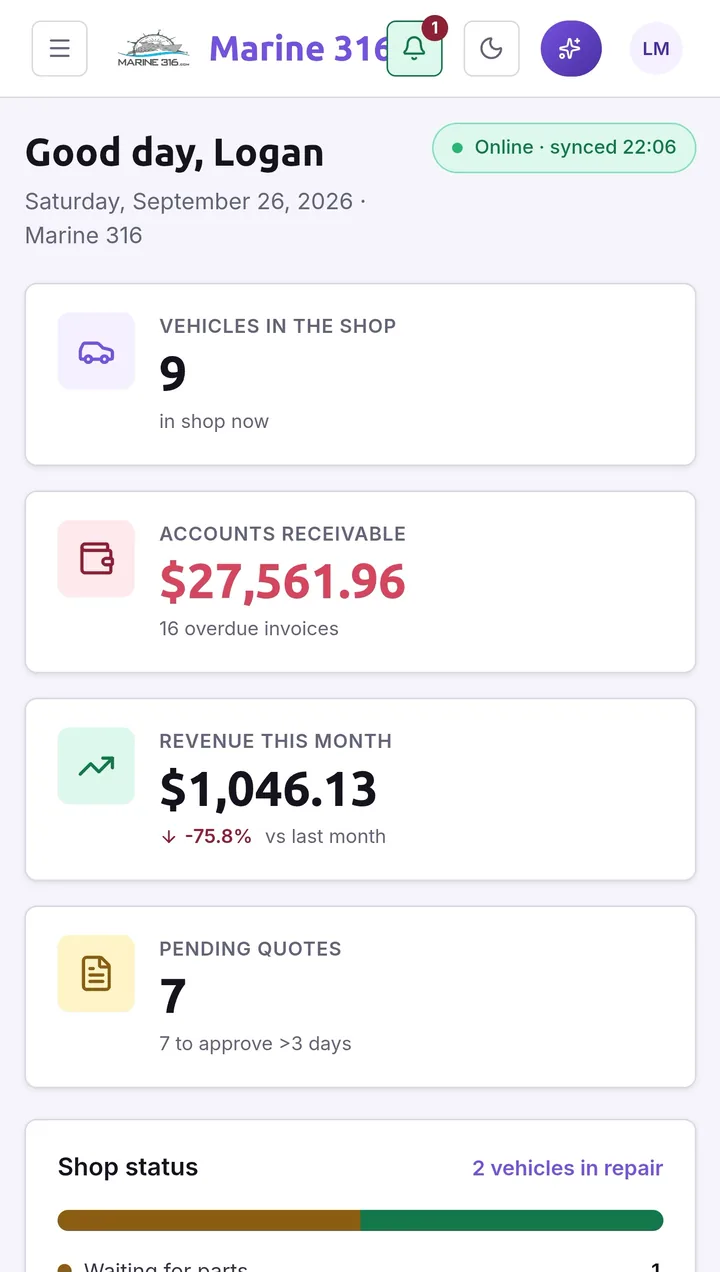
Looking for the download?You don't need it anymore: the new AutoSoft Online opens in your browser. Sign up, set up your shop and get to work.
Features
10 sections · tap to go- 01Digital vehicle inspection (DVI)Show the customer what your technician sees
- 02Built-in AI agentAn expert on your team, 24 hours a day
- 03Estimates and repair ordersFrom estimate to invoice, without retyping a thing
- 04Repair status trackingKnow where every vehicle stands, without asking
- 05Text messages (SMS)Your customers hear from you by text
- 06Appointment calendar with remindersAppointments your customers don't forget
- 07Online payments and card terminals with Stripe®Get paid by link or at the counter
- 08Inventory, kardex and price levelsInventory that adds up
- 09Profitability analysisKnow what you make on every job
- 10Multi-Shop panelMore than one shop? See them all on one panel
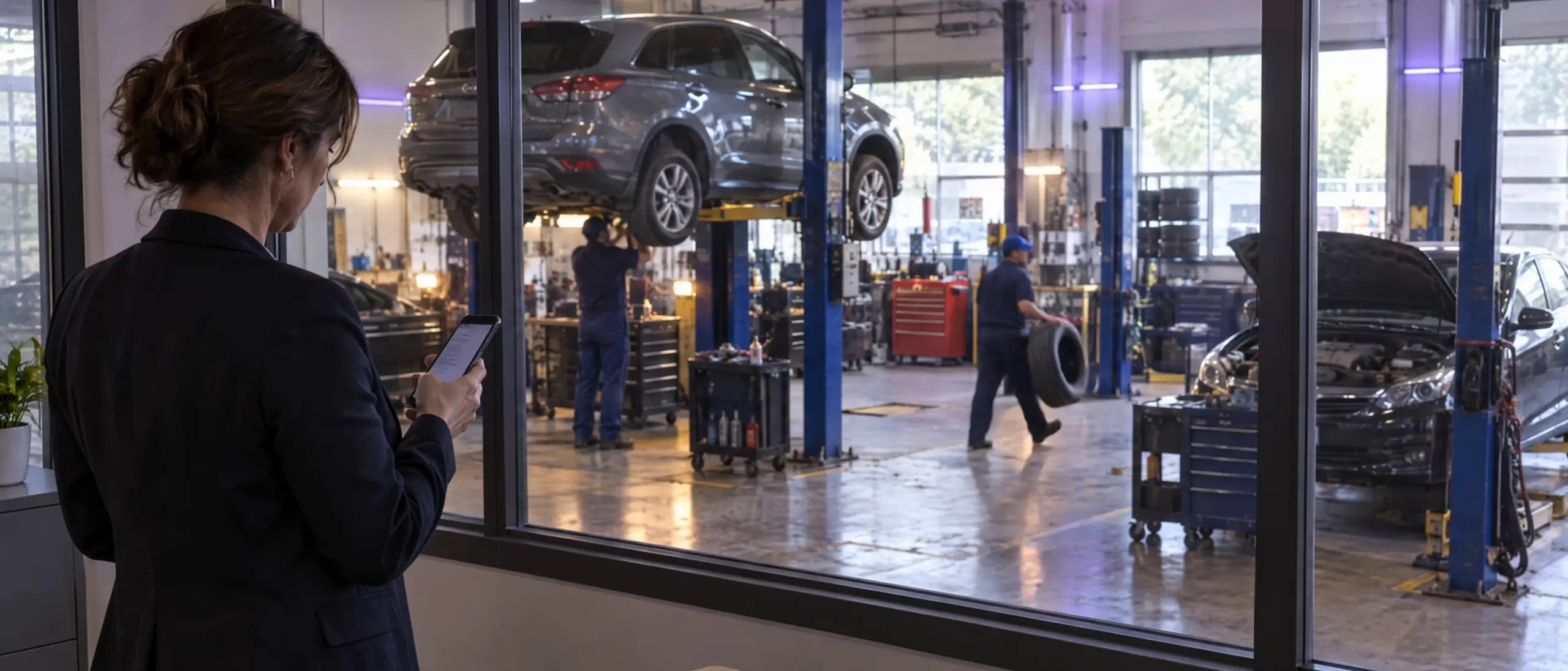
Forget the limits of a local network
AutoSoft Online used to live on one computer and your shop's network. Now it lives in the cloud: the front counter, the technician on the floor and you at home all see the same thing, at the same time.
- No server at the shop
- No installs or manual updates
- Your data, wherever you are
Connected to the tools your shop already runs on
AutoSoft Online talks to CARFAX®, QuickBooks® and Stripe®, and texts your customers. No exports, no copy and paste, no second data entry.
CARFAX®
Get credit for every service you do.
The work you invoice is reported to CARFAX® and shows up in the vehicle's service history, the history your next customer looks up before buying.
See in depth CARFAX®QuickBooks®
Your books, without the retyping.
Invoices, payments, credit memos and voids go to QuickBooks Online® on their own. Your accountant sees what you invoiced, when you invoiced it.
See in depth QuickBooks®Stripe®
Get paid by card, online or at the counter.
Send a payment link or take the card at the counter. When the payment goes through, the invoice is marked paid and the receipt goes out.
See in depth Stripe®SMS
Your customers hear from you by text.
Estimates, payment links, receipts and next-service reminders by text message, with the customer's opt-in recorded.
See in depth SMS
One app for every kind of shop
Whether you fix engines, change oil, straighten frames or sell parts over the counter, it all runs in the same app, with the same customers, the same inventory and the same books.
Mechanical repair
Estimates, repair orders, digital inspections and technician time, from diagnosis to invoice.
Maintenance and service
Canned jobs, appointments with reminders and next-service notices by date or mileage, so customers come back.
Collision repair
Insurance carriers, adjusters and claim numbers on the estimate, insurer adjustments, bill the insurer or the owner, and a paint assistant that adds the labor for each panel.
Parts counter
Sell parts without a vehicle or labor, straight from inventory, with the barcode scanner on your phone.
Show the customer what your technician sees
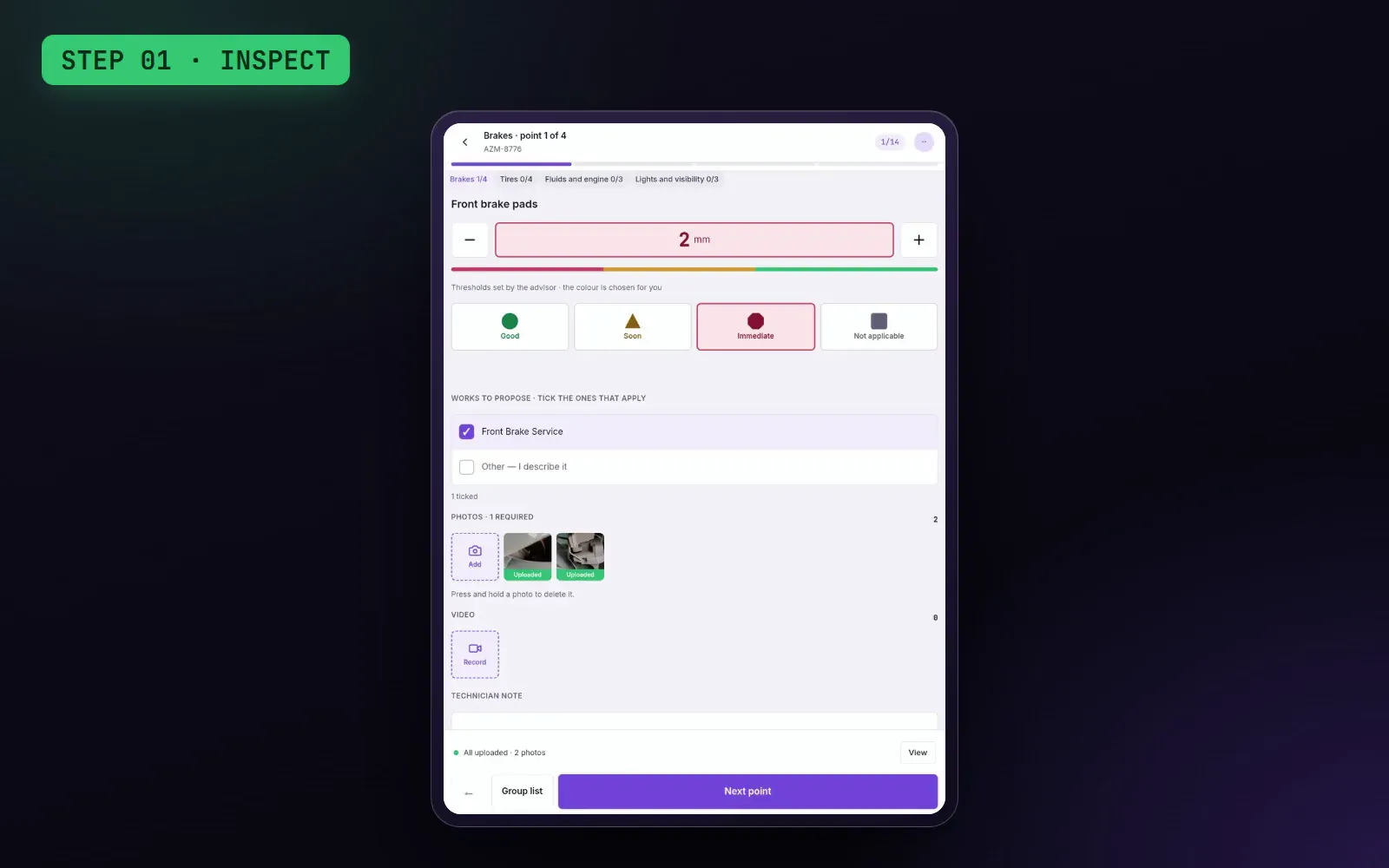
Your technician checks the vehicle point by point and takes photos from a tablet or phone. You set the price, and the customer gets a report with the photos on their phone and approves job by job. Whatever they approve goes straight into the estimate.
THE PROBLEMYou tell the customer the brake pads are worn and they don't believe you. Without proof, the job doesn't get approved.
- 01
Inspect
The technician walks through the inspection: marks each point green, yellow or red, takes photos and recommends the work.
- 02
Review and price it
You see the report with the photos, adjust the jobs and send it to the customer by email or text.
- 03
The customer decides
They open the link on their phone, see the photos, approve or defer each job and confirm with their name.
- Red, yellow and green, measurements and photos on every point
- The customer approves from their phone, no account or password
- Approved work goes straight into the estimate
“U.S. shops that run strong digital inspections raise their average repair order by 27 to 28%; with 20 or more photos, repair orders come in about 30% higher than with 5 or fewer.”
“2 out of 3 U.S. drivers don't trust auto repair shops.” — AAA, 2016 survey.
An expert on your team, 24 hours a day
Ask in your own words: who buys the most, what you sell the most, how much you invoiced this year or how many hours each technician worked. It takes you to the screen you're looking for and helps you diagnose a problem like a seasoned mechanic.
THE PROBLEMTo find out who your best customer is or which part you sell most, you pull reports and add it up by hand.
- Answers with your shop's real numbers
- Takes you to the screen you need
- Helps you diagnose a problem
Who were my top 5 customers this year by total invoiced?
#1 is Lisa Rivera: 5 invoices, $9,808.65 invoiced year-to-date.
Open today's appointments and tell me what time each one is.
I opened the calendar for you. Today you have 2 appointments: 08:15 Four wheel alignment and 13:25 Battery test and replacement.
A 2018 Ford F-150 makes a grinding noise when braking at low speed. What should my technician check first?
It's most often not the brake pads themselves: it's a known issue with the 4WD vacuum system.
- 01Open it from any screen.
- 02Ask about your customers, your sales, your appointments or a vehicle problem.
- 03Get the answer with your numbers, or let it open the screen for you.
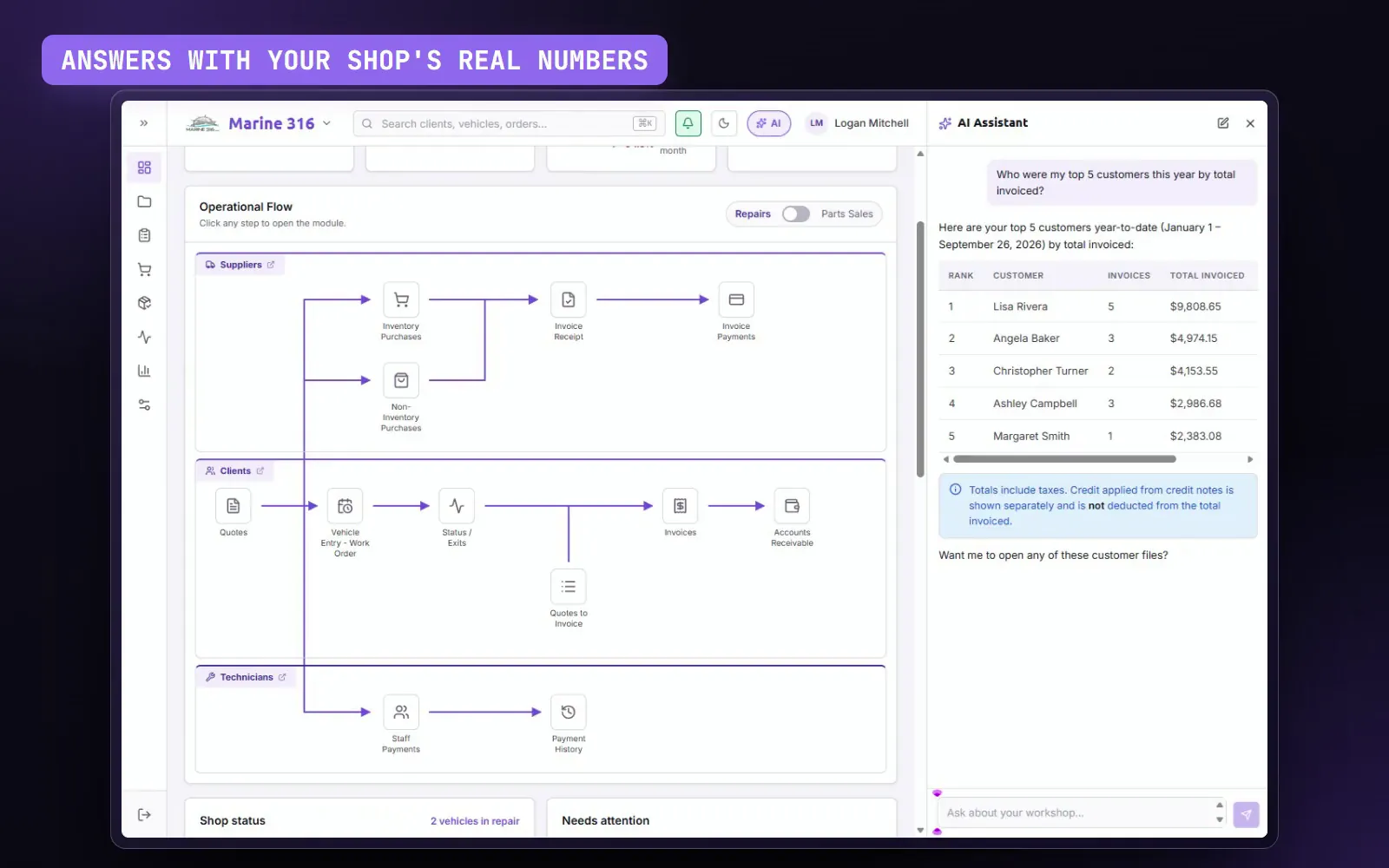
Reads your data in read-only mode, with each user's permissions.
See in depthFrom estimate to invoice, without retyping a thing
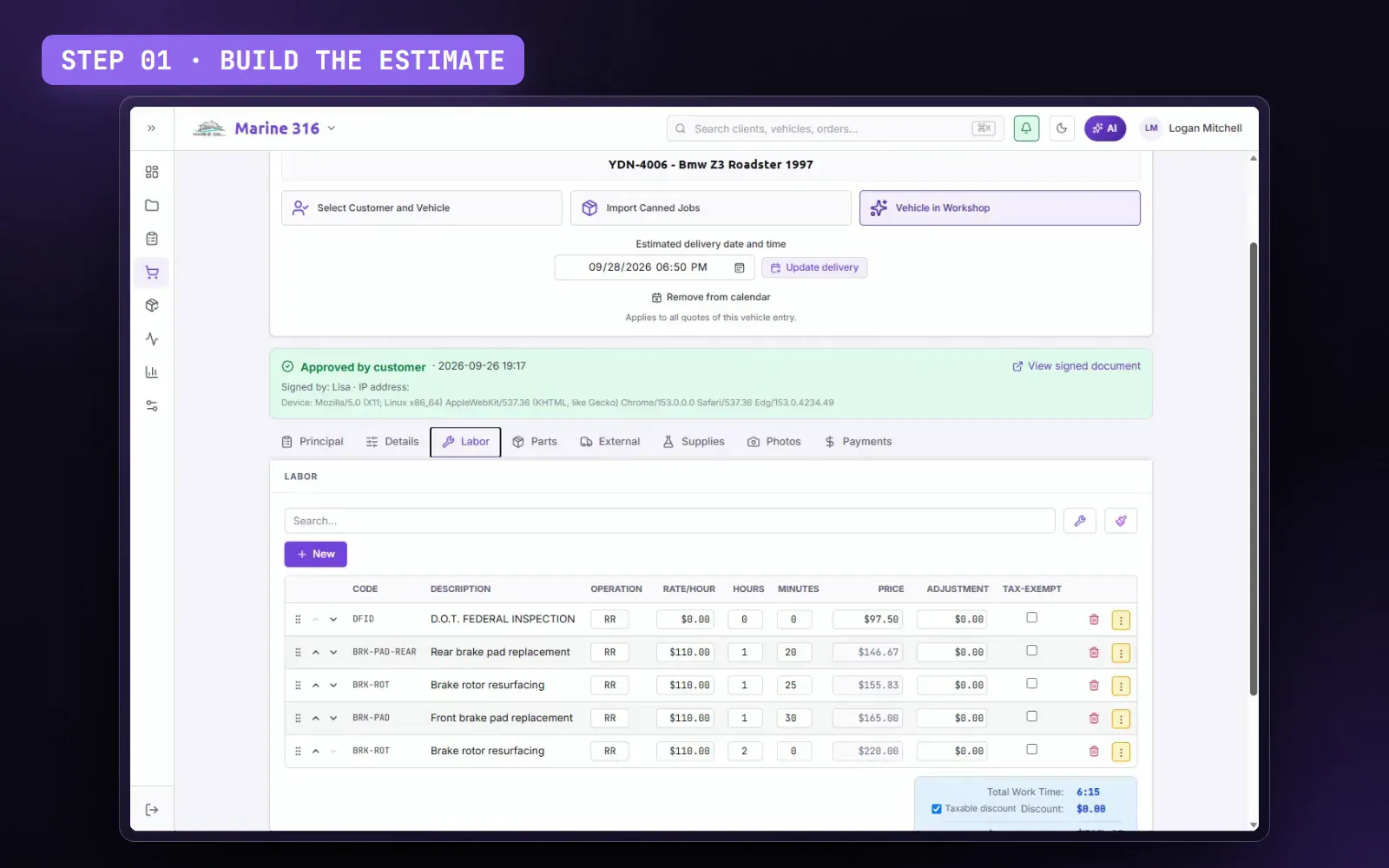
Build the estimate with parts, labor and photos of the vehicle. The customer signs it from a link, the technician works from a printed repair order, and when the job is done the invoice comes out with the same lines.
THE PROBLEMRewriting the estimate, typing it again on the repair order and once more on the invoice. And then the customer says they never approved it.
- 01 · Estimate
Build the estimate with parts, labor, canned jobs and photos.
- 02 · Signed by the customer
The customer signs it from the link you send by email or text.
- 03 · Invoice
Invoice in one click: the lines carry over as they are.
Paint assistant
Mark the panels to paint on the image of the vehicle, front, rear or the whole vehicle, and the labor for each one goes straight into the estimate.
- The customer signs the estimate on their phone
- Canned jobs ready to use
- A repair order for the technician, without prices
Know where every vehicle stands, without asking
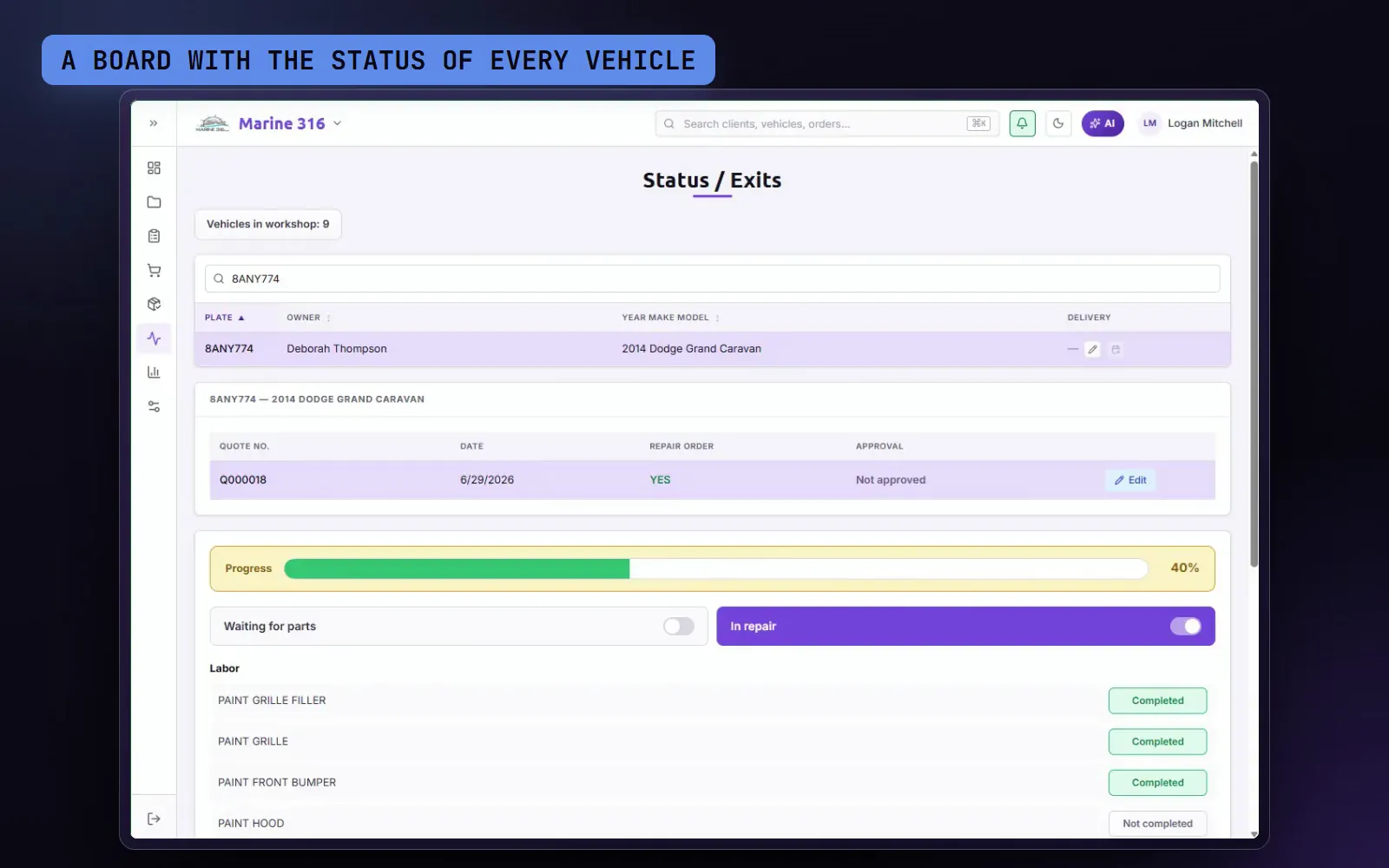
Check the vehicle in with its damage record and the customer's signature, follow its progress on a board and see at a glance what goes out today and what's running late.
THE PROBLEMWalking out to the floor to ask how each vehicle is coming along, and finding out too late that one won't be ready today.
- Gray sedanSDN-218Assembly2 h left
- White pickupTRK-904Paint1 day left
- Red hatchbackHBR-331✓ Ready for pickuptoday 5:00 PM
- Black SUVSUV-772Mechanicsrunning late
- Blue vanVAN-150Straightening2 days left
- 01Check the vehicle in: checklist, damage diagram and the customer's signature on screen.
- 02Follow the progress: each vehicle with its status and a ready-for-pickup flag.
- 03Deliver on time: the schedule shows what goes out and how long until the promised date.
- Check-in with a damage diagram and the customer's signature
- A board with the status of every vehicle
- A delivery schedule with the promised date
Your customers hear from you by text
Send estimates, payment links, receipts, credit memos and next-service reminders by text, from the same screen you're working on. The message comes from your shop's own number, and every customer's opt-in is on record.
THE PROBLEMDownload the PDF, open your phone, find the customer and paste it in. Over and over, every day.
- 01Turn on texting once: we register your shop with the carriers for you.
- 02Check the text box when you send an estimate, an invoice or a receipt.
- 03The customer gets it on their phone, with a link to the PDF.
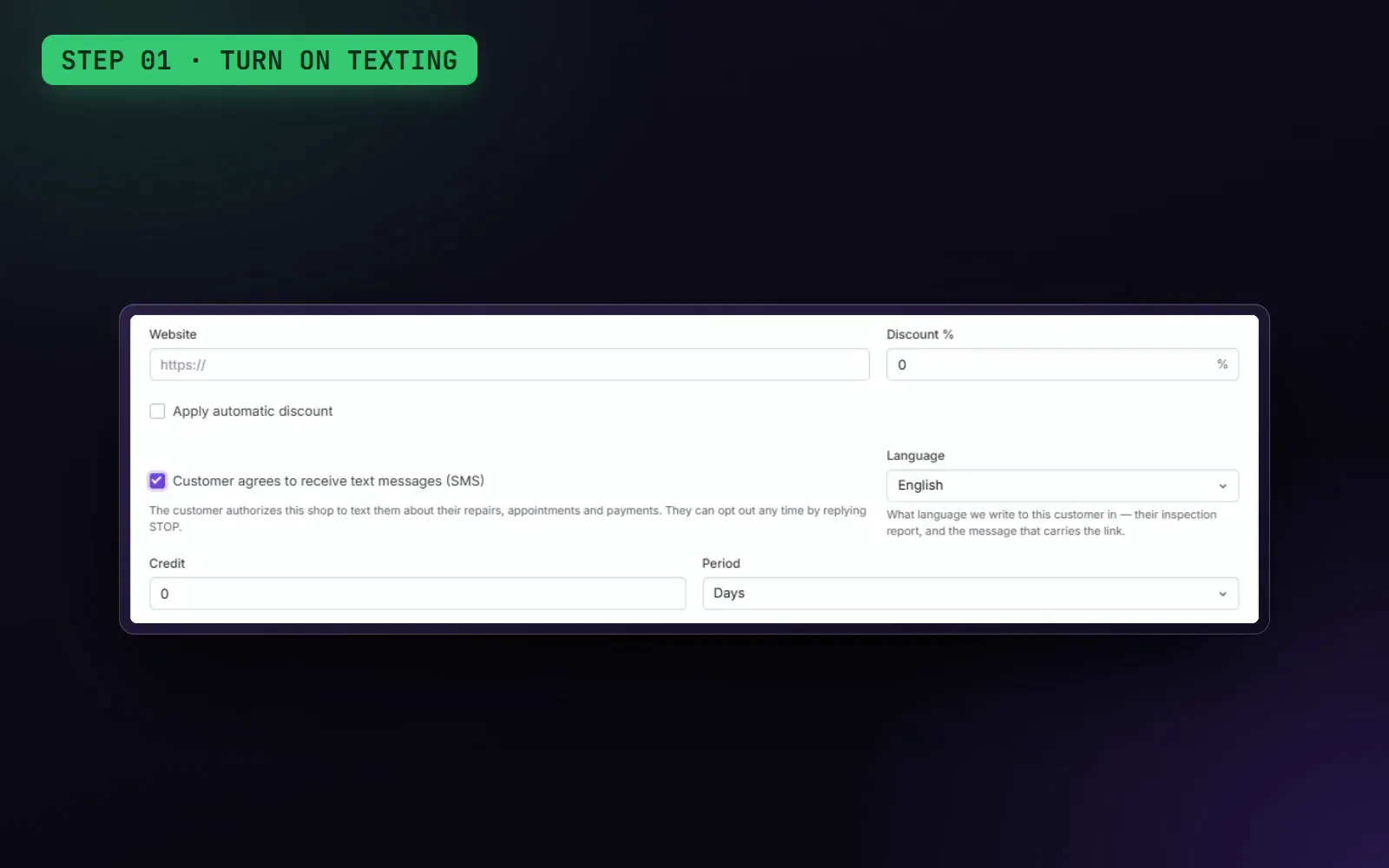
- Your shop's own texting number
- Estimates, payment links and receipts in one click
- The customer's opt-in recorded on the signed estimate
Appointments your customers don't forget
Book on one or more calendars, see each day's load and let the app remind the customer about the appointment. When the next service comes due, you let them know too.
THE PROBLEMAppointments in a notebook, customers who don't show up and others who don't come back until something breaks.
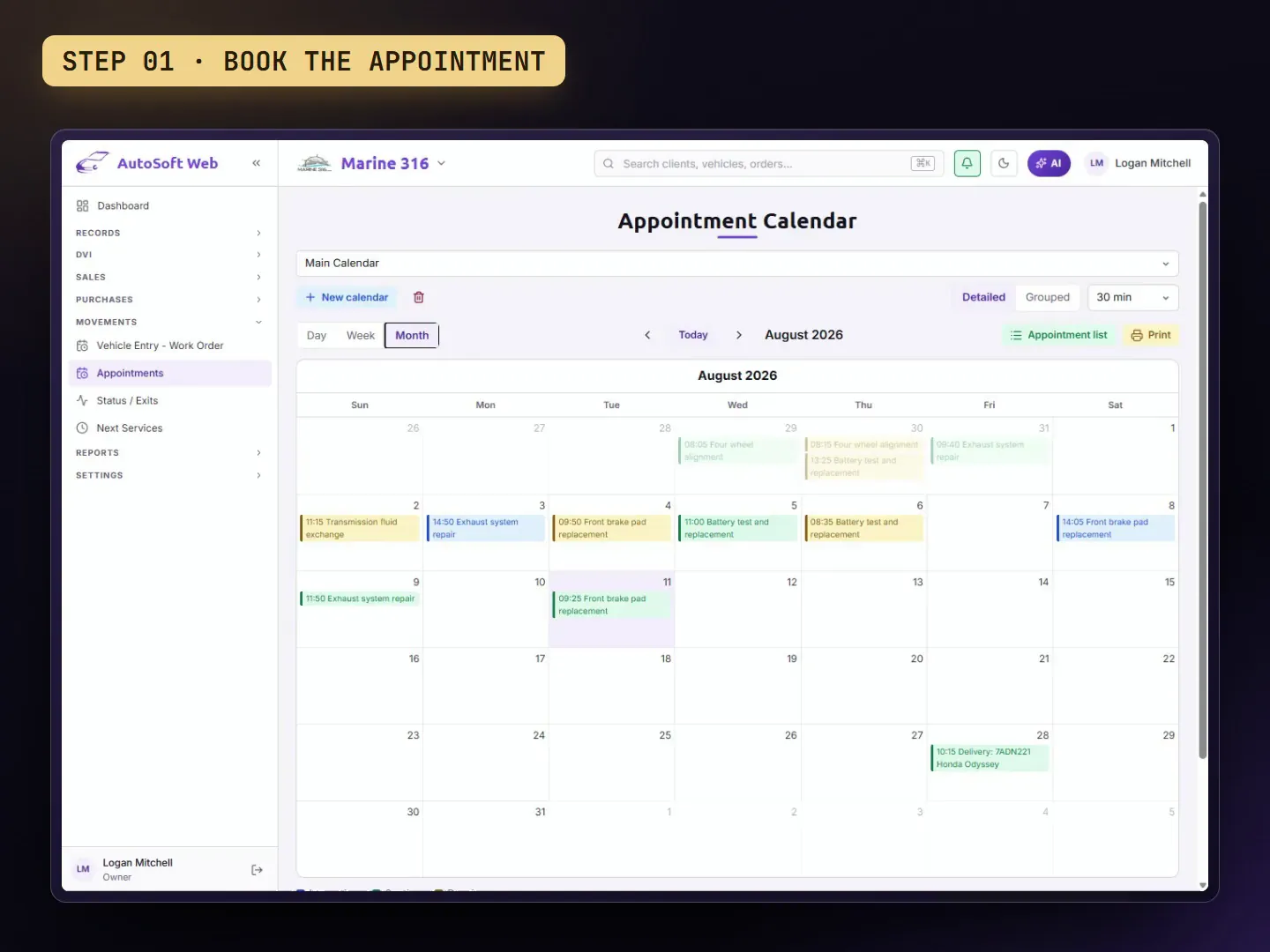
Automatic appointment reminders by email
Several calendars, one per bay or technician
Step 1: Book the appointment; if it comes from an estimate, it takes its times.
Step 2: The customer gets an email reminder before the appointment.
Step 3: When service is due, you let them know by email or text with your own message.
Next-service notices by email or text, by date or mileage
Oil change in 3 monthsexampleGet paid by link or at the counter
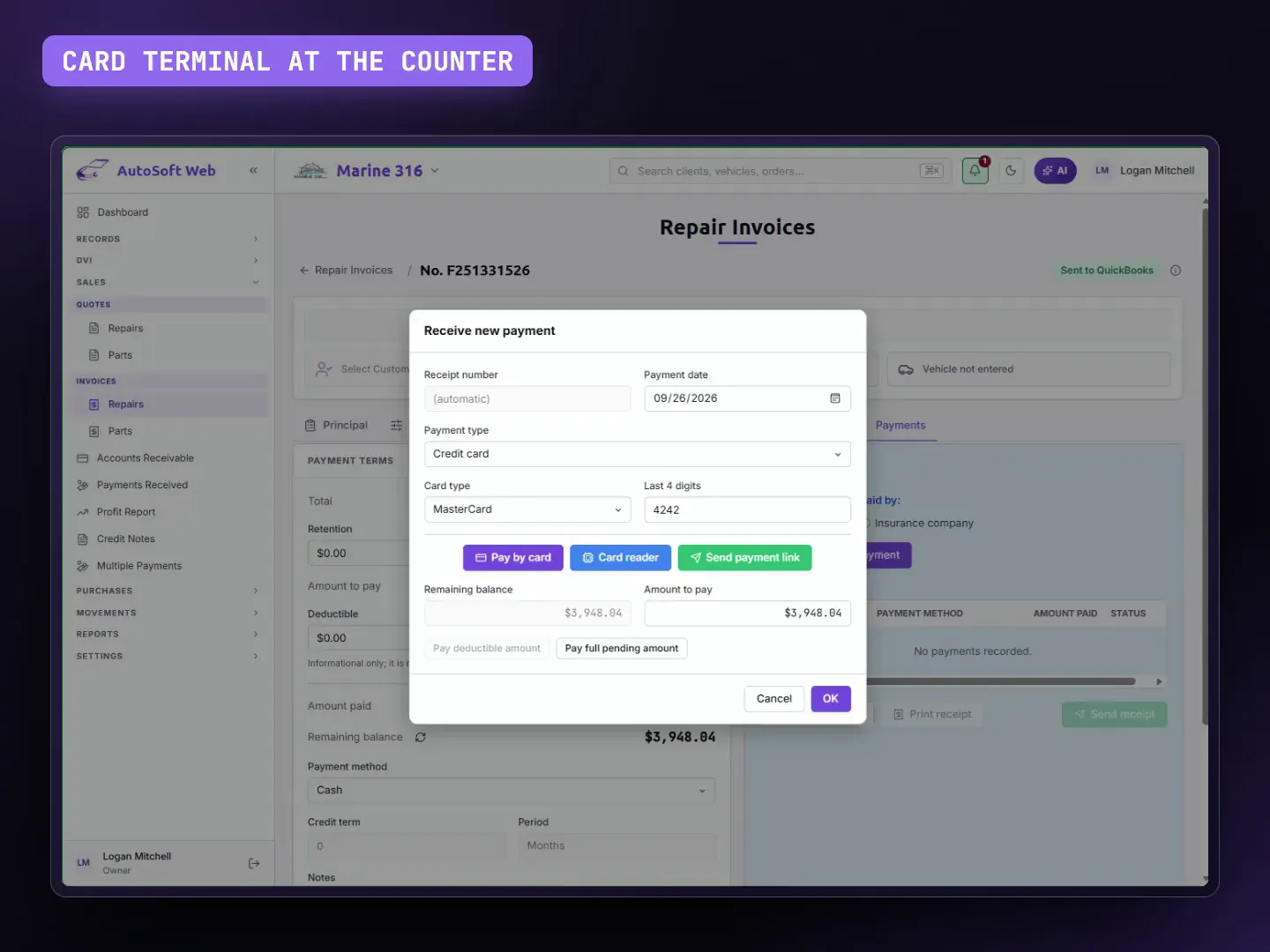
Send the customer a link to pay by card from their phone, or take the card at the counter. When the payment goes through, the invoice is marked paid and the receipt goes out on its own.
THE PROBLEMWaiting for a transfer, chasing the confirmation and then finding the invoice to mark it paid.
- 01Send the link or run the card at the counter.
- 02The customer pays from their phone, nothing to download.
- 03Done: the invoice is marked paid and the receipt goes out.
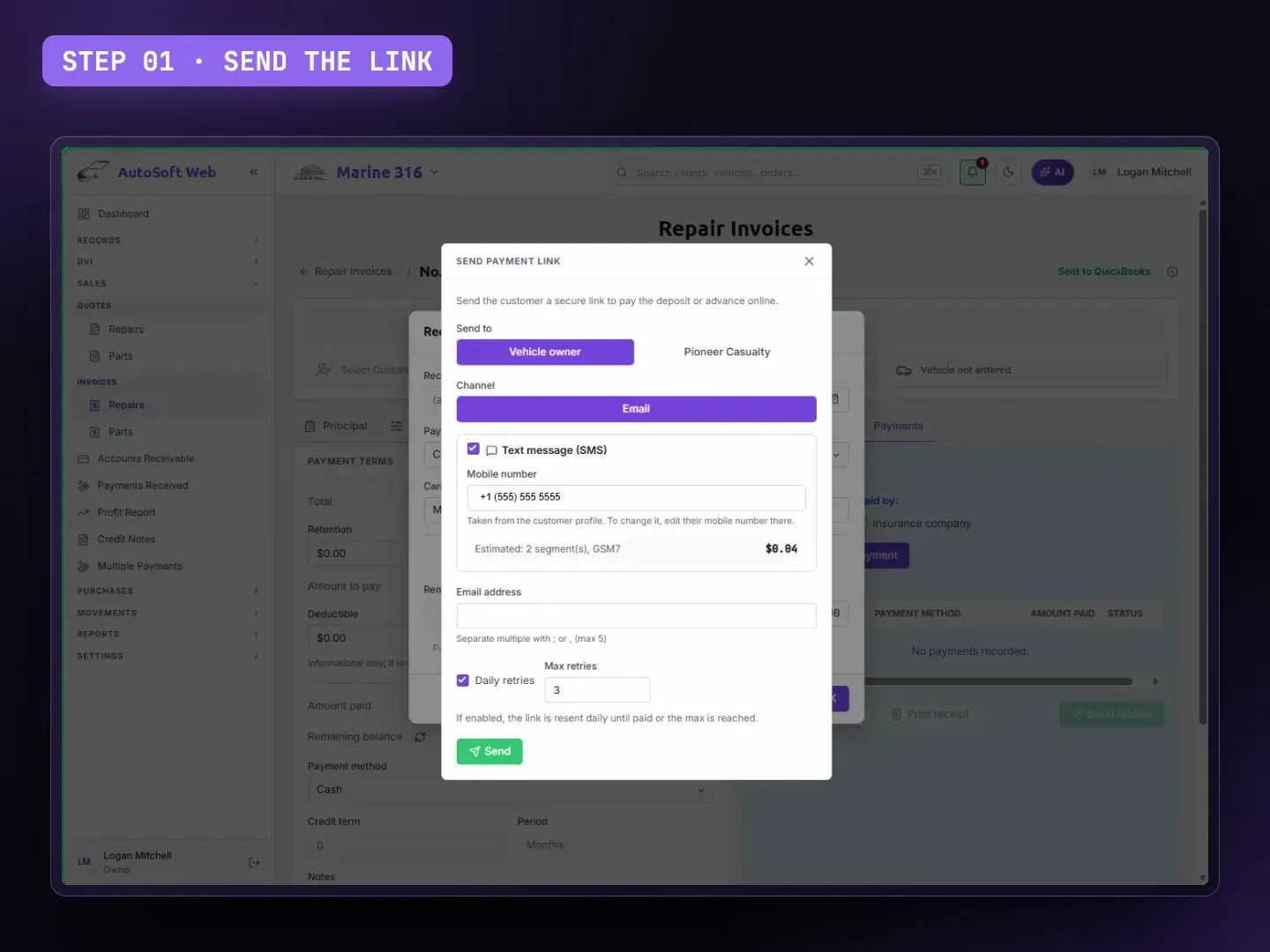
- Payment link by email or text
- Card terminal at the counter
- Invoice paid and receipt sent right away
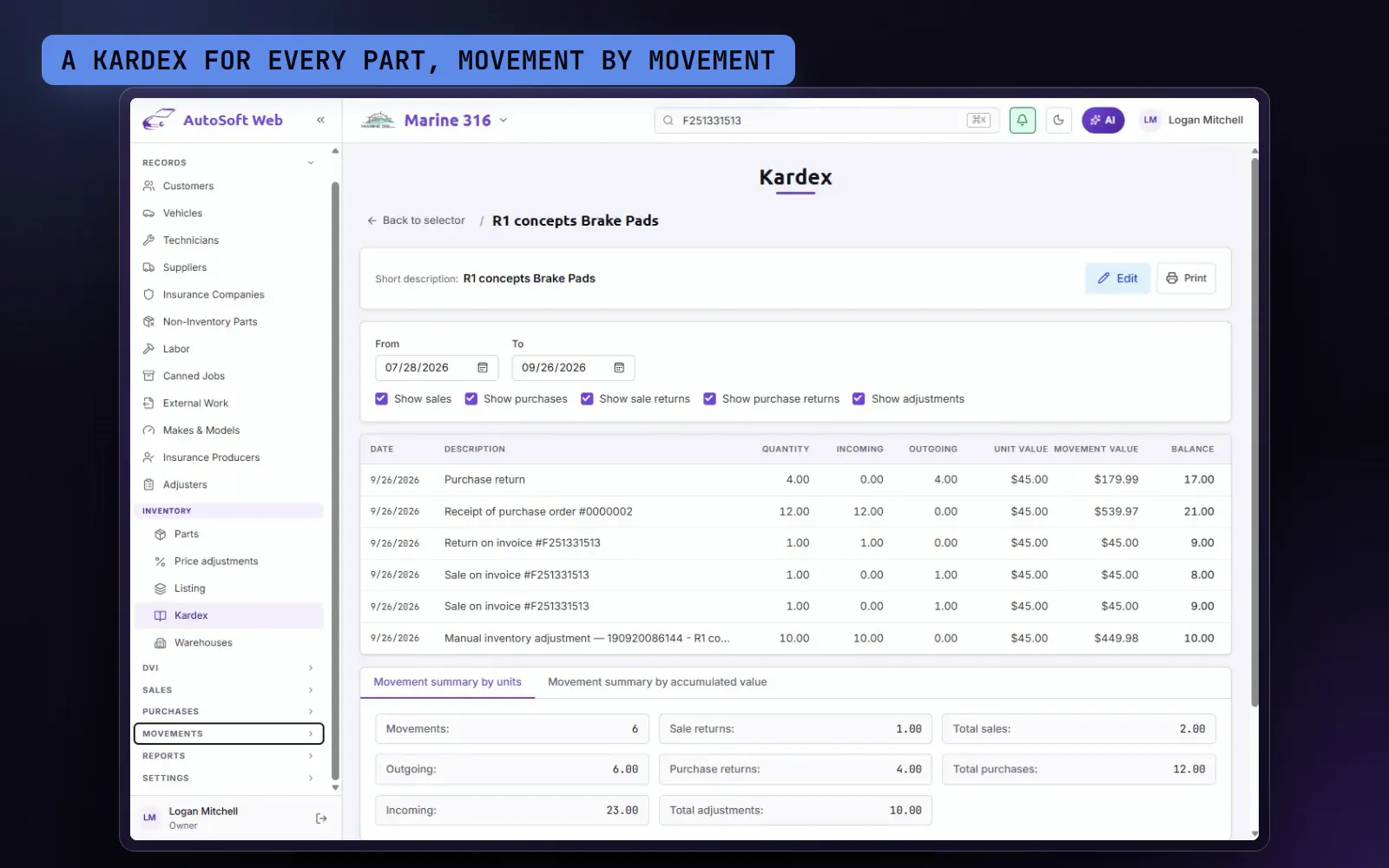
Inventory that adds up
Every part in and every part out is recorded in the part's kardex, with the document behind it. Receive a purchase and the stock goes up; invoice and it goes down. With four prices per part and a reorder point, you know what to sell and what to order.
THE PROBLEMThe system says there are three filters and the shelf is empty.
| Purchase received | +24 | 150 |
|---|---|---|
| Invoice 2041 | −4 | 146 |
| Counter sale | −1 | 145 |
| Return to vendor | −2 | 143 |
| Sales return | +1 | 144 |
| Adjustment | +4 | 148 |
- STEP 01Order from your vendor; you can import the parts from an estimate.
- STEP 02Receive the order: stock goes up and it's in the kardex.
- STEP 03Sell or invoice: stock goes down, and the shelf location prints on the technician's repair order.
- A kardex for every part, movement by movement
- Four prices per part and bulk price updates
- Reorder point, warehouses and shelf location
Know what you make on every job
Cost against price on every estimate and every invoice, line by line, and your shop's profit for any period, broken down into labor, parts, sublet and supplies.
THE PROBLEMYou invoice a lot, and at the end of the month you don't know what you actually made.
- Step 1: Work as usual: each line keeps its real cost.
- Step 2: Open the profit of any estimate or invoice.
- Step 3: Pick the period and see your shop's profit by section.
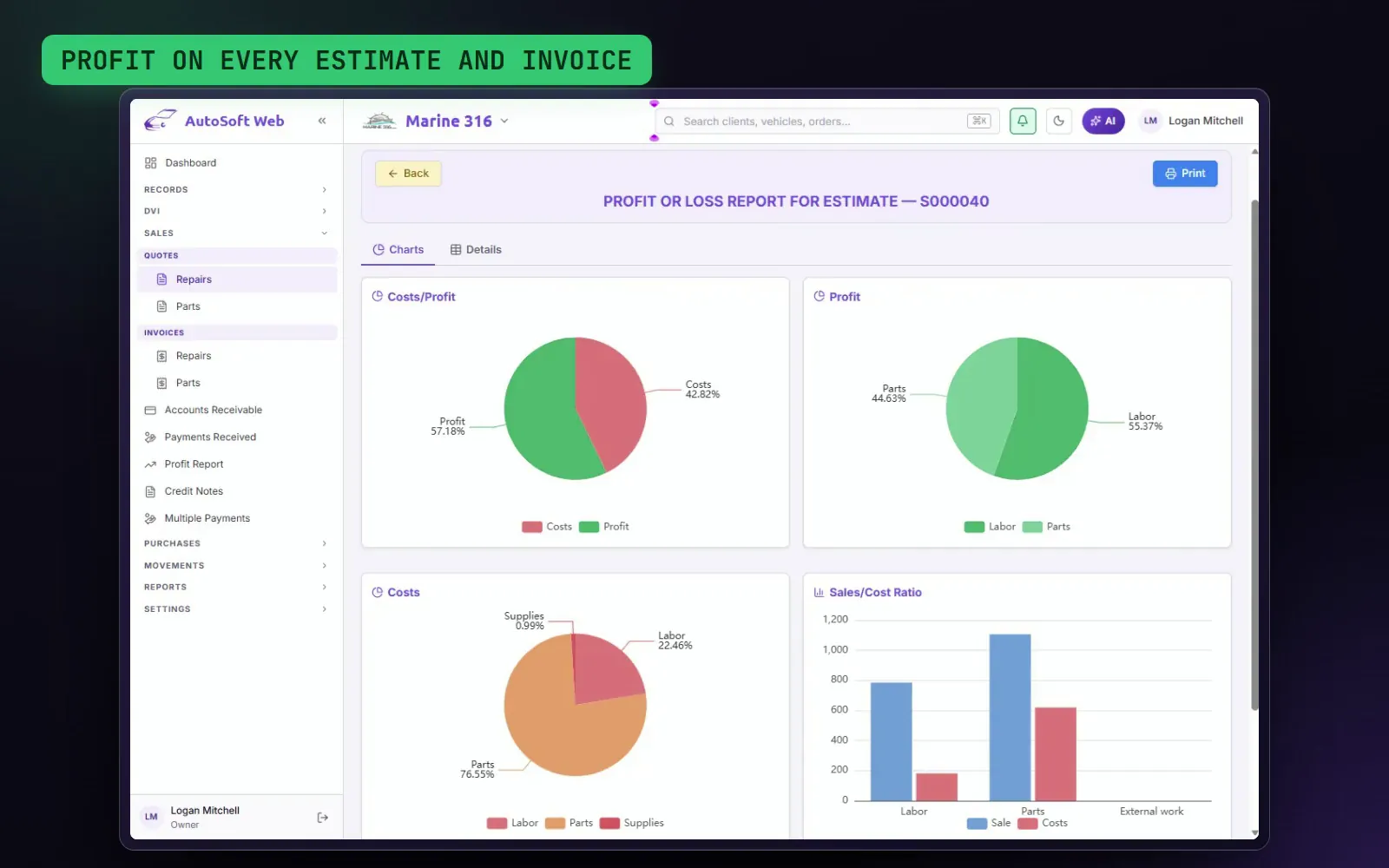
- Profit on every estimate and invoice
- Labor, parts, sublet and supplies, separately
- A report by period, with charts and as a PDF
More than one shop? See them all on one panel
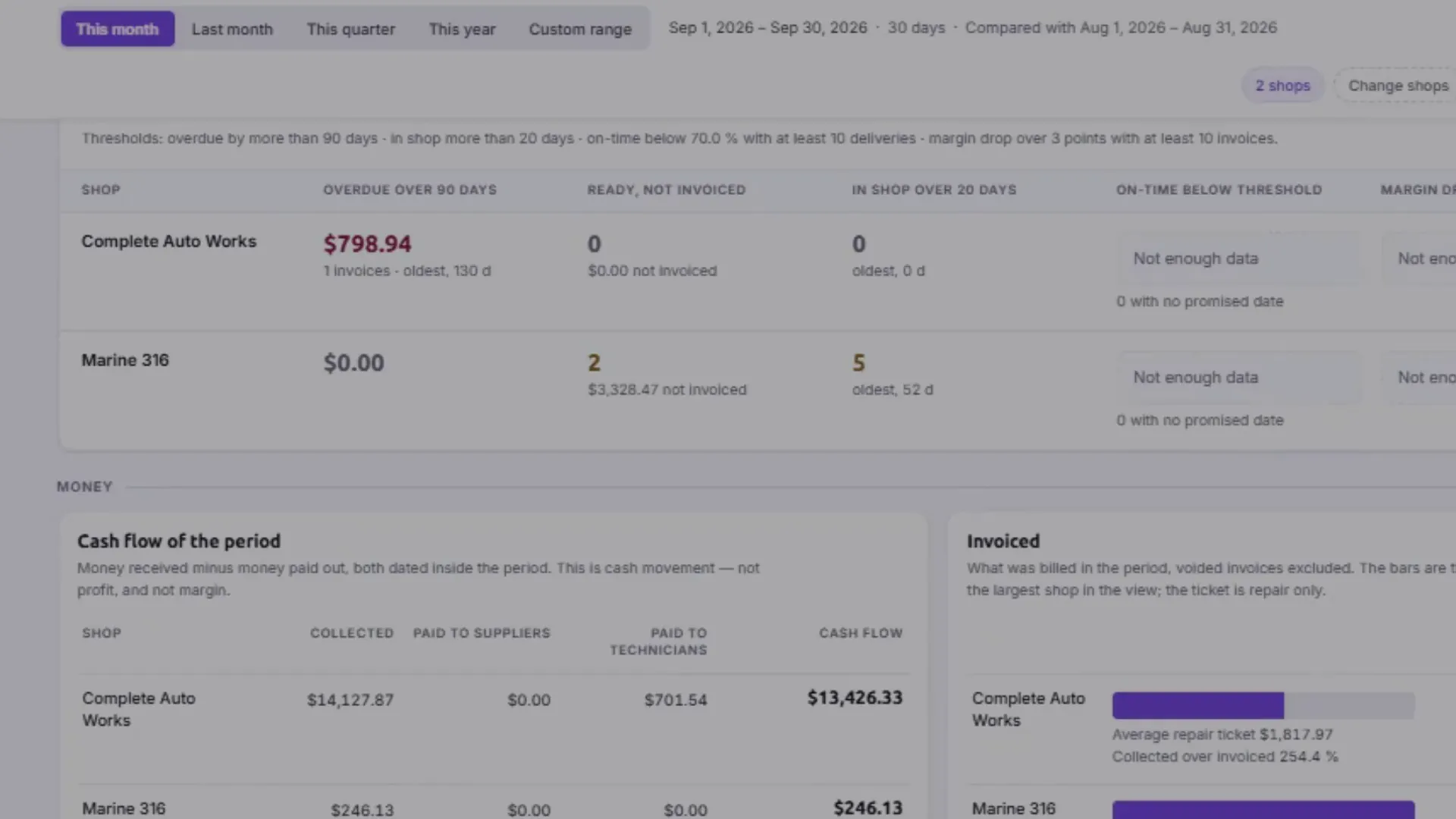
Money, margin, operations, customers and technicians for each shop, side by side. Compare your shops with each other or against their own previous month, and set up a new shop by copying the setup of the one you already have.
THE PROBLEMLogging into each shop separately and building the comparison in a spreadsheet.
- 01Pick the shops and the period.
- 02Compare collections, margin, days in the shop and technician hours.
- 03Copy a customer with their vehicles, or a whole setup, to another shop.
- All your shops on one screen
- Side-by-side and month-over-month comparisons
- A new shop ready with the other's setup
The whole shop, area by area
Insurance and canned jobs
Insurance estimates with carrier, adjuster and claim number; canned jobs; vehicle check-in.
Check-in with the customer's signature
When the vehicle arrives, mark scratches, dings and dents on its outline, complete the checklist and have the customer sign on screen. The check-in is locked in a PDF: proof of how the vehicle came in.
Technicians
Technician records, job assignment with hours and technician pay.
Sales and payments
Parts counter sales, one payment across several invoices, credit memos and payments received.
Purchasing
Inventory and non-inventory purchasing, vendor invoice receiving, returns and accounts payable.
Barcodes
Label printing and your phone's camera as a barcode scanner.
Control
Permissions by user and by group, activity log and API access.
And also
- Customers, vehicles and history
- VIN decoder
- Invoicing and accounts receivable
- English and Spanish
- PDF reports
- Email from the app
- Non-inventory parts catalog
- Vendors
- Sublet work
- Estimate and invoicing summaries
Already using AutoSoft Online on the desktop?
The desktop version is no longer sold, and maintenance time is no longer renewed. While your prepaid maintenance time is active, we'll issue your activation file when you move to a new computer. And when you're ready for the cloud, we'll bring your data over at no extra cost.
The best app for auto repair shops. Don't take our word for it: look at what it does.
More than 25 years building programs for auto repair shops.
CARFAX®, QuickBooks®, Stripe® and SMS in the same app.
Mechanical, maintenance, collision and parts counter in one place.
Any device, nothing to install.
Several shops on one panel.
Frequently asked questions
Do I need to install anything?
No. You sign in from the browser on any computer, tablet or phone.
Does it work on a Mac, iPhone or Android?
Yes, on any device with internet and an up-to-date browser.
Is there a free trial?
Yes, 15 days. A card is required to start, but nothing is charged until the trial ends, and you can cancel before then.
Does it work with CARFAX® and QuickBooks®?
Yes. The services you invoice are reported to CARFAX®, and your invoices, payments and credit memos go to QuickBooks Online® (U.S. version) on their own.
Can I text my customers?
Yes, in the U.S. and Canada. We register your shop with the carriers for you, and your customers' opt-in is recorded.
I use the desktop version. What happens to my data?
We move it to the cloud at no extra cost. While your prepaid maintenance time is active, we'll keep issuing your activation file if you change computers.
How much does it cost?
There's a plan for every size of shop: see them under See pricing.
Do I need internet?
Yes: it's a cloud app, and that's what lets you use it from anywhere.
What is AutoSoft Web?
The cloud platform the new AutoSoft Online runs on.